
The short answer
- Have a portfolio or resume website? Put it. That’s exactly what the field is for.
- Only have LinkedIn? Put LinkedIn, unless the form already has its own LinkedIn field. Never paste the same link twice.
- Applying for a technical role with a real GitHub? Put your GitHub profile.
- Have nothing yet, and the field has no asterisk? Leave it blank. That’s fine. Don’t type “N/A”.
That box is optional on almost every form, and leaving it empty won’t sink your application. But it’s also one of the few places on a form where you can show something a resume can’t. We read 60 live US job applications to see what employers actually ask for. Here’s what to put there, based on what you have today.
Find your answer in three taps
If you have your own website or portfolio:
Put your website. This is what the box is for.
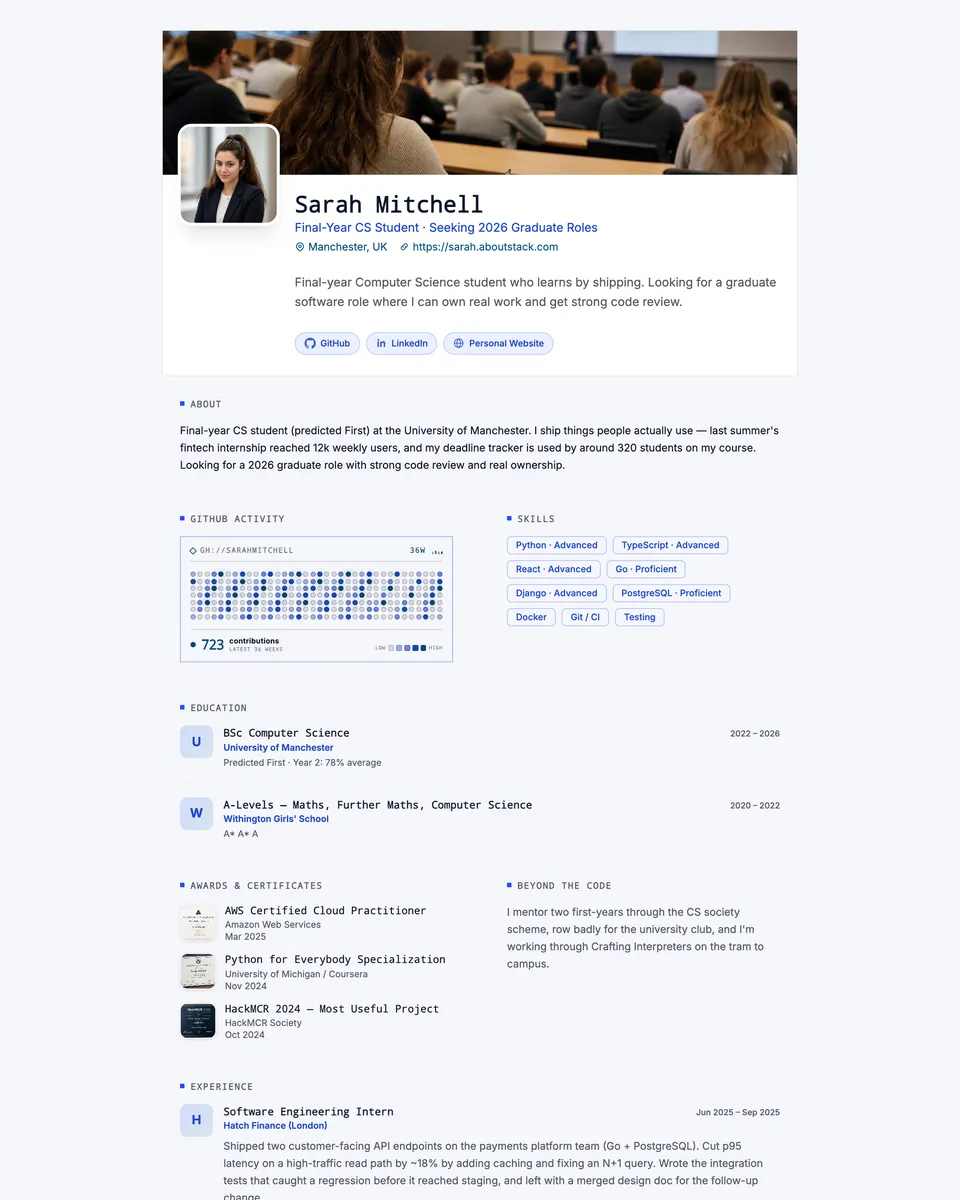
Type thishttps://yourname.aboutstack.com
If your work lives on Behance, Dribbble, Substack or similar:
Put the profile that shows your best work.
Type thishttps://www.behance.net/yourname
If you have GitHub and the form has its own LinkedIn field:
Put your GitHub profile.
Type thishttps://github.com/yourname
If you have GitHub and the form has no LinkedIn field:
Put GitHub for technical roles, LinkedIn for everything else.
Type thishttps://github.com/yourname
If you only have LinkedIn and the form has no LinkedIn field:
Put your LinkedIn.
Type thishttps://www.linkedin.com/in/yourname
If you only have LinkedIn, the form already asks for it, and the website field is optional:
Leave the website field blank.
If you only have LinkedIn, the form already asks for it, and the website field is required:
Read the question closely. It's probably asking for work samples.
If you have nothing yet and the field is optional:
Leave it blank. That's completely fine.
If you have nothing yet and the field is required:
Don't type "N/A". Make a link first.
Why application forms have a “Website” field
The field isn’t a test, and no software is grading it. When you submit, the applicant tracking system (ATS) saves what you typed as a link on your candidate profile. In Greenhouse it goes into a Websites field, which can be marked personal, portfolio, blog, company or other. Later, a recruiter or hiring manager can click it while they look at your application.
Two details matter more than people think:
- Each employer builds its own form. Greenhouse says it has no system-default application questions. Lever and Ashby give employers a starting form they can edit. That’s why one company asks for “Website”, another for “Portfolio URL”, and a third doesn’t ask at all.
- A person decides whether to click. First looks are short. In Ladders’ 2018 eye-tracking study, the average initial resume screen was 7.4 seconds. A link only gets clicked if it’s clean, obvious and clearly worth it.
We found no Greenhouse, Lever or Ashby documentation saying the ATS crawls, reads or scores your website. Write for the human who clicks, not for a robot.
What we found in 60 real job applications
On October 11, 2026, we read the application forms of 60 open US job postings at 30 companies: 20 on Greenhouse, 20 on Lever and 20 on Ashby. They covered engineering, design, marketing, sales, operations and other roles. For every form we recorded each link field, its exact label, and whether it was required.
- 57% had a website or portfolio field 34 of 60 forms
- 5% made that field required 3 of 60 forms
- 90% had a LinkedIn field 54 of 60 forms, required on 13
- 18% had a GitHub field 11 of 60 forms, never required
The website field is common, and it’s almost always optional. It was required on 3 forms out of 60. All 3 were custom questions for creative or product roles, and all asked for work, not just a link:
- Carvana, Producer, Social: “Please share a link to your website or professional Instagram”
- Spotify, Head of Product Management: “Please provide a link to your portfolio/work samples below”
- Match Group, Associate Manager, Culture & Content: “You must submit a portfolio link to be considered for this position”
The standard fields (“Website”, “Portfolio URL”, “Other website”) were never required on any form.
Which link fields you see depends on the employer’s ATS. Lever’s forms come with link fields built in, and nearly every Lever employer kept them. Ashby forms asked for a website least often, but were far more likely to make LinkedIn required.
Link fields by applicant tracking system (20 forms each)
| Group | Has a website/portfolio field | Has a LinkedIn field | LinkedIn is required |
|---|---|---|---|
| Lever | 90% (18 of 20) | 100% (20 of 20) | 5% (1 of 20) |
| Greenhouse | 50% (10 of 20) | 90% (18 of 20) | 10% (2 of 20) |
| Ashby | 30% (6 of 20) | 80% (16 of 20) | 50% (10 of 20) |
The field goes by many names. If you’re searching for “personal website” on a form, it might be called any of these:
Labels used for the website field, and how many forms used each
- Other website ×16 Lever
- Portfolio URL ×12 Lever
- Website ×6 Greenhouse
- Portfolio, Video, or Website Link ×2 Greenhouse
- Portfolio ×2 Ashby
- Personal Website/Portfolio ×2 Ashby
- Website/Substack ×1 Ashby
- Website/Github/Substack ×1 Ashby
Engineering forms didn’t ask for more links. 6 of 12 engineering forms had a website field, against 28 of 48 for other roles. Only 3 of 12 engineering forms had a GitHub field. Developers who want their GitHub seen usually have to put it in the website field.
Almost every form had somewhere to put a link. 54 of 60 forms had at least one link field of some kind. Meanwhile, 51 of 60 still required a resume file. A link doesn’t replace your resume on the form. It adds to it.
How we did the study, and its limits
We picked 30 companies across fintech, healthcare, retail, media, nonprofits, software and more, all hiring in the US. That choice was ours, not random. Within each company, a fixed rule chose the postings: the first US posting in each of two rotating role families, in the order the job board lists them. We read each form through the job board’s public interface (Greenhouse and Ashby’s job board APIs, and Lever’s hosted application page), then fetched 20 of the forms a second time to confirm every label and required flag matched.
The companies were ACLU, Airbnb, Away, Carvana, Datadog, Duolingo, Everlane, Gopuff, Harvey, Headway, Included Health, Match Group, Notion, Oscar Health, Plaid, Ramp, Ro, Robinhood, Rothy’s, Rover, Spotify, Strava, Substack, Talkiatry, The New York Times, The Trevor Project, Veeva Systems, Wealthfront, Zoox and sweetgreen.
Limits:
- 60 forms is a small sample. Because each company’s forms matched each other, the real sample is closer to 30.
- Employers on Workday, iCIMS, Taleo and in-house systems aren’t covered. Many large companies use those.
- Forms change, so a re-run would find a somewhat different picture.
Download the data (CSV). It has one row per form, with the posting URL, the exact labels and the required flags.
Your options, ranked
If you have more than one choice, this is the order we’d pick them in for the website field. LinkedIn sits lower only because most forms already give it its own field.
Can I put my LinkedIn in the website field?
Yes, as long as the form has no separate LinkedIn field. LinkedIn is a real web page about your work, and plenty of hiring teams are happy to click it. Two things to check first:
- The profile is current. Your headline, latest role and dates should match your resume. A stale profile is worse than no link.
- People who aren’t signed in can see it. LinkedIn shows a simplified public version of your profile to people who aren’t signed in, and you control how much appears. Open your link in a private window to see what they’ll see.
If the form already has a LinkedIn field, which 54 of the 60 forms in our study did, put LinkedIn there. Then either put something different in the website field, or leave it blank.
Is it OK to leave the personal website field blank?
Yes, when it’s optional. In our study, the field was required on only 3 of the 34 forms that had one. Employers make it optional because plenty of strong candidates don’t have a website.
What hurts more than a blank box:
- “N/A”, “none” or “-” typed into an optional field. It reads like you didn’t understand the form.
- A link to a page that’s private, unfinished or broken.
- A link to something unrelated, like a personal Instagram for an accounting role.
A good link does get looked at when it’s there. In a 2017 Hover survey of 121 people involved in hiring (most of them Hover customers, so it leans pro-portfolio), only 38% said having a portfolio site is important, yet 86% said they’d visit one if a candidate offered it. So it isn’t expected, but it does get clicked when you provide one.
How to type the link so it works
Most broken links in application forms come from copying the wrong thing: a share-sheet link full of tracking codes, a shortened link, or a Drive file nobody else can open. Paste your link below to check it before you submit.
Check your link before you paste it
Runs in your browser. Nothing is sent anywhere.
Do
- Paste the full address with
https://, copied from the address bar after you open the page - Use your clean LinkedIn URL, like
linkedin.com/in/yourname(you can set it under Public profile & URL) - Open it in a private window before you submit, to see what a stranger sees
- Put one link per field, the one that matters most for this job
Don’t
- Paste share links with tracking codes such as
?utm_source=,?trk=or?si= - Use link shorteners like bit.ly. The destination is hidden and can look like spam
- Link a Google Drive or Dropbox file that asks for access, or an edit link
- Type
N/Aornoneinto an optional field. Just leave it empty
Make sure the link still works in three months
A hiring process can take weeks or months, and someone might open your link long after you apply. The link has to work the whole time.
-
Day 1
You apply
The link is saved to your candidate profile, exactly as you typed it.
-
First screen
A recruiter takes a first look
Short and fast. The link is a bonus if it’s clean and obvious.
-
Interviews
The hiring team digs in
This is when links get clicked most, often by people you haven’t met yet.
-
Weeks later
Final decision, or a different role
Your profile can resurface for a new opening. A dead link here costs you.
Common ways links die: deleting or renaming a GitHub repo, renaming a handle, making a profile private, letting a website plan lapse, or moving a Drive file. If you change something, update your other links too. If you use AboutStack, keep your plan active while you’re job hunting. If a trial ends without a payment method, the page goes offline.
Have nothing to put there? A quick fix for next time
You don’t need a designer or a week of evenings. Pick the option that matches you:
- Claim a clean LinkedIn URL (about two minutes). Go to Me → View profile → Edit public profile & URL and set
linkedin.com/in/yourname. Then update your headline and latest role. - Tidy your GitHub (developers, about 15 minutes). Pin your best 3 to 6 repositories and add a profile README: a public repo with the same name as your username, with a README.md file in it.
- Publish a one-page resume website. A page with your summary, experience, skills and links that you can reuse on every application. Your options:
| Option | Cost | Effort | Good for |
|---|---|---|---|
| Google Sites | Free | Build the layout yourself | A quick, basic page |
| Carrd and similar one-page builders | Free tier, paid plans for extras | Pick a template, write every section | A simple landing-style page |
| GitHub Pages | Free | Write or adapt code | Developers comfortable with Git |
| AboutStack | 7-day free trial, then $5.99/month | Fill in your resume, pick a template, publish | A resume site at yourname.aboutstack.com that you can update anytime |
Whatever you choose, the test is the same. Would you be happy for the hiring manager to open it on their phone right now? If yes, paste it in. If not, leave the box blank for this one and fix it before the next.
FAQ
Is the personal website field on a job application required?
Almost never. In our study of 60 live US application forms, a website or portfolio field was required on 3 of them, and all 3 were custom questions for creative or product roles. Look for an asterisk (*) next to the label. No asterisk means it’s optional.
Can I put my LinkedIn in the website field?
Yes, if the form doesn’t already have its own LinkedIn field and your profile is up to date. If there is a separate LinkedIn field, put LinkedIn there and don’t paste the same link twice. 90% of the forms we checked had a LinkedIn field.
Is it bad to leave the personal website field blank?
No. When the field is optional, blank is a neutral answer. A broken link, a private profile or “N/A” looks worse than an empty box. A good link helps most in roles where people want to see your work.
Does GitHub count as a personal website?
For technical roles, yes. Pin your best repositories and add a profile README first, so whoever clicks sees your strongest work instead of an empty or messy profile.
Can I put a Google Drive or Dropbox link?
Only if the file is set so anyone with the link can view it, and you’ve tested it in a private window. A real web page opens faster on a phone and never shows a “Request access” screen.
Does the applicant tracking system read or score my website?
We found nothing in Greenhouse, Lever or Ashby’s documentation saying they crawl or score your site. Your answer is saved as a link on your candidate profile so a person can open it.
How should I type the URL?
Paste the full address starting with https://, copied from your browser’s address bar after you open the page. Remove tracking bits like ?utm_source= or ?trk=, skip link shorteners, and check it opens in a private window.
Can I use Instagram, Behance, Dribbble or Substack?
Yes, if it shows work that’s relevant to the job, such as a design portfolio, writing, or a professional content account. Keep personal social accounts out of it unless the job is about them.
What if I don’t have any website at all?
Leave the optional field blank for this application. Then, before the next one, spend a few minutes on a clean LinkedIn URL, a tidy GitHub, or a one-page resume website you can reuse on every form.
Sources
- Website-field study: 60 US application forms, collected Oct 11, 2026 (AboutStack, data download) Our dataset. One row per form, with the posting URL, the exact labels and the required flags.
- Greenhouse Support: System default fields vs. custom fields Candidate profiles have built-in Websites and Social media links fields. Application questions are set up by each employer.
- Greenhouse Harvest API documentation Website types stored on a candidate: personal, company, portfolio, blog, other.
- Lever Postings API (GitHub) Only name and email are required. Links like GitHub and LinkedIn are stored as URLs, and fields vary by employer.
- Ashby Knowledge Base: Application forms Every organization starts from a default form. URL is a field type, and LinkedIn answers are saved to the candidate profile.
- Ladders: Eye-tracking study (2018) The average initial resume screen was 7.4 seconds.
- Hover: Online portfolio survey (2017) 121 people involved in hiring, mostly Hover customers. 86% said they would visit a portfolio when given the option.
- LinkedIn Help: Customize your public profile URL How to get linkedin.com/in/yourname, and what happens to the old URL.
- LinkedIn Help: Your public profile What people who aren’t signed in can see.
- GitHub Docs: Managing your profile README
- GitHub Docs: Pinning items to your profile